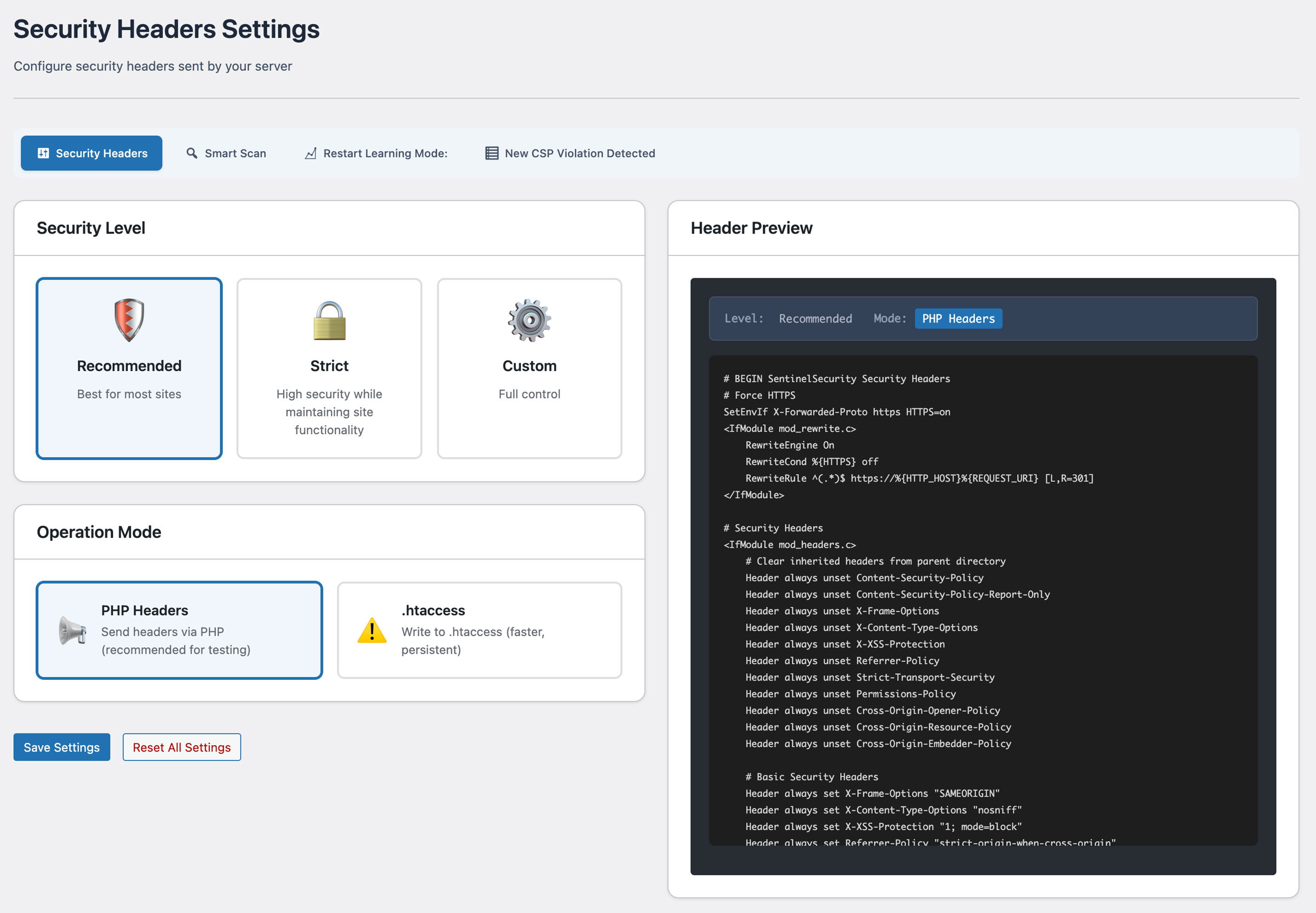
The non-negotiable starting point. Covers script injection, forced HTTPS, clickjacking, MIME confusion, referrer leaks, and device API misuse.
Security Header Settings
Configure 24 headers.
Deploy without breaking a thing.
Set up CSP, HSTS, and 22 more security headers through an intuitive GUI. Smart scan auto-generates optimal settings — deploy confidently without breaking your site.
Why Security Headers?
95% of sites ship with
no Content-Security-Policy.
Security headers are your browser-level shield against XSS, clickjacking, and data injection. Yet the vast majority of WordPress sites run with none configured — leaving browsers with nothing to enforce.
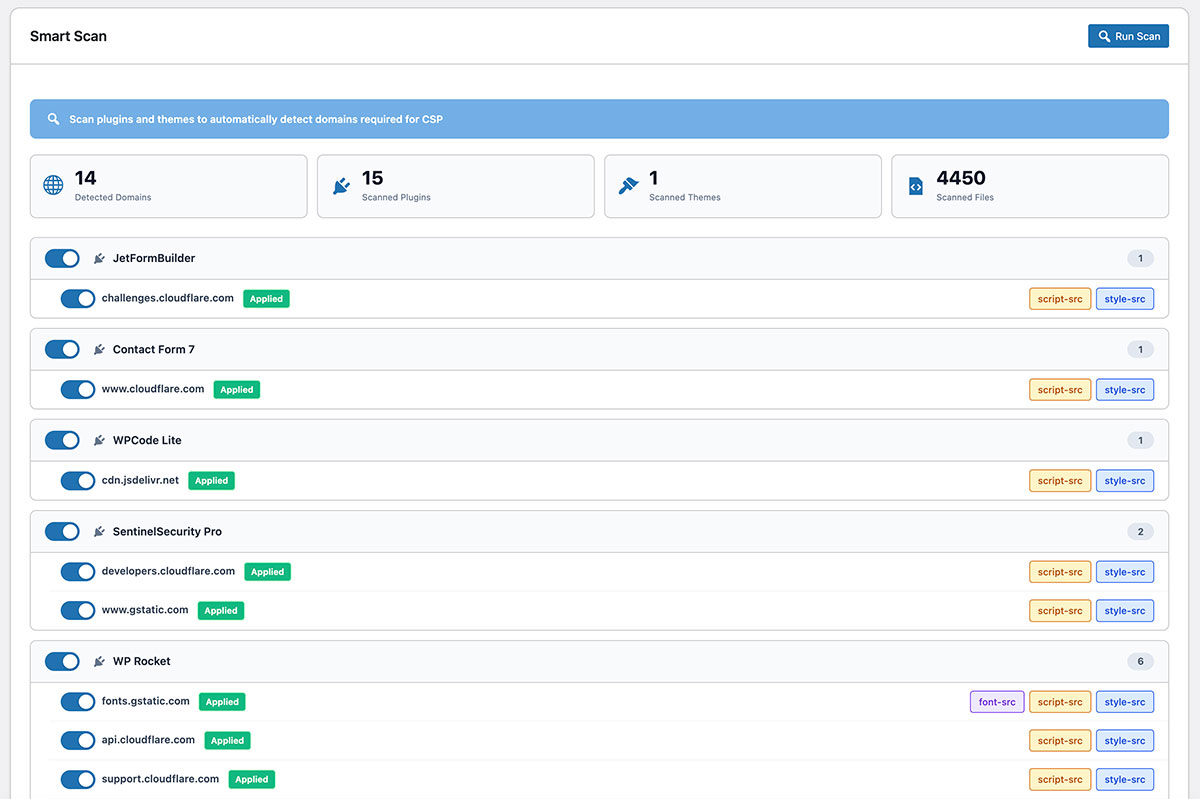
Scans your plugins and theme — builds the CSP allowlist automatically.
Every plugin that loads Google Fonts, Stripe, or GTM needs to be explicitly listed in CSP. Smart Scanner reads your plugin and theme source files to find every external domain they use — so you don't have to hunt them down manually.
Scan all active plugins and themes
One button starts the scan. Smart Scanner reads the source files of every active plugin and theme, detecting all external domains they reference — Google Fonts, Stripe, GTM, analytics services, and more.
Sort each domain by purpose
Each detected domain is automatically placed in the right category — scripts, fonts, images, and more. You can see exactly which plugin needs which domain.
Review the list and apply
Toggle off any domain you don't recognize, then save. SentinelSecurity applies the CSP policy to every page on your site instantly.
6 Categories · 24 Settings
Configure every header from a single screen.
No server access required. All 24 settings are available through a GUI — toggle on, pick a preset, or enter a custom value. Each setting is grouped by the threat it addresses.
CSP enforces an allowlist for every resource your site loads.
CSP tells the browser which scripts, fonts, and third-party widgets are allowed to load. Every plugin you use — Google Fonts, GTM, Stripe, reCAPTCHA — must be explicitly listed.
Miss one and that part of your site goes silent. SentinelSecurity removes the guesswork with two dedicated tools.
Reads your plugin and theme source files and builds the allowlist automatically.
Catches anything Smart Scanner missed — before CSP blocks anything.
Isolates your page at the OS memory level. Protects against Spectre-style attacks, cross-origin window access, and resource hotlinking.
Three flags that decide whether a session cookie survives a network sniff, XSS theft, or a cross-site request forgery.
Defines which external domains can read your API responses. A wildcard here is one of the most common causes of API data leaks.
WordPress advertises your stack by default. Removing these cuts off the free inventory of endpoints and version numbers attackers rely on.
Three legacy headers modern browsers ignore — or in the case of X-XSS-Protection, can actively exploit. SentinelSecurity flags all three for removal.
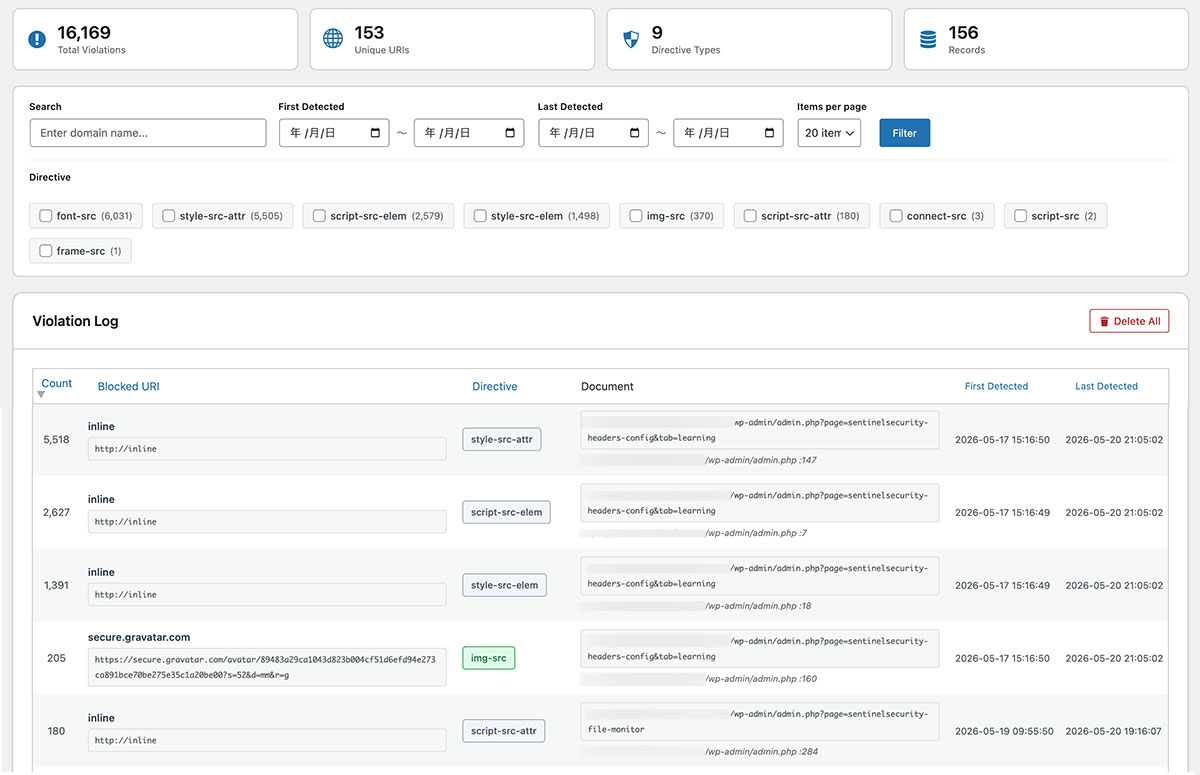
Investigate safely — without stopping your site.
Learning Mode activates CSP in Report-Only mode — nothing is blocked while your site runs normally.
Browsers collect every resource that would have been blocked, and SentinelSecurity lists them for review. Approve what belongs, skip what doesn't.
When you're ready, activate full blocking — no broken pages, no unexpected failures.
- Runs in Report-Only mode — nothing is blocked while monitoring
- Collects real browser violation reports in real time
- Add missed domains to allowlist with one click
- Keeps working after enforcement — detects new plugins automatically
Related Feature
Combine with "HTTP Header Diagnosis" for Greater Security
Apply headers with Security Header Settings, then verify correct configuration with HTTP Header Diagnosis. Ensure security through both configuration and verification.
Other Features
Explore Other SentinelSecurity Features
SentinelSecurity covers every security aspect of your WordPress site — from vulnerability scanning to file monitoring and email notifications.
Login Security
Multi-layer protection for your WordPress login. IP lockout, 2FA, and CAPTCHA to stop attackers before they get in.
Learn moreHTTP Header Diagnosis
Diagnose security header configuration and get actionable recommendations to fix missing or misconfigured headers.
Learn moreREST API Diagnosis
Check WordPress REST API security across 18 items. Identify information exposure risks before attackers find them.
Learn moreAPI Protection
REST API rate limiting and user enumeration prevention to block API-based information leaks and abuse.
Learn moreVulnerability Assessment
Check WordPress configuration, software versions, and file permissions for security risks. Get a risk score in one click.
Learn moreFile Integrity Monitoring
Detect file additions, changes, and deletions across WordPress directories. Instant alerts for unauthorized modifications.
Learn moreEmail Notification Settings
Fully customizable notifications for login events, file changes, and vulnerability discoveries. White-label ready.
Learn more
Strengthen Your Site
with Security Headers.
Protect your WordPress site with SentinelSecurity's comprehensive security features.