Login Security
Block attackers
before they get in.
WordPress login screens are common attack targets. Five independent layers of protection help block attackers before they reach your admin area.
Why Login Security?
WordPress logins
face attacks daily.
WordPress admin areas are accessible by default at fixed URLs like /wp-admin/ and /wp-login.php, making them prime targets. Automated bots attack 24/7 with brute force techniques that can break weak authentication in minutes.
Protection Layers
5 layers of defence for your admin area.
Up to 5 layers of protection — each independently configurable so you can enable only what fits your environment.
Login
 Attacker
IP Restriction
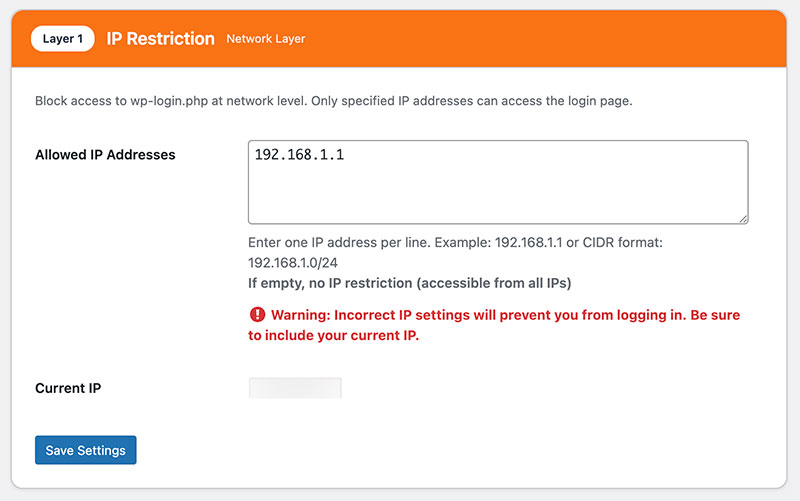
As the first layer of protection, block access from unauthorized IP addresses. Allow access only from trusted locations like your office or home to significantly reduce the risk of unauthorized access.
- Allowlist trusted office and home IP addresses
- Block all other connections at the perimeter
- CIDR notation supported for IP ranges
- Acts as the outermost defence layer
Custom Login URL
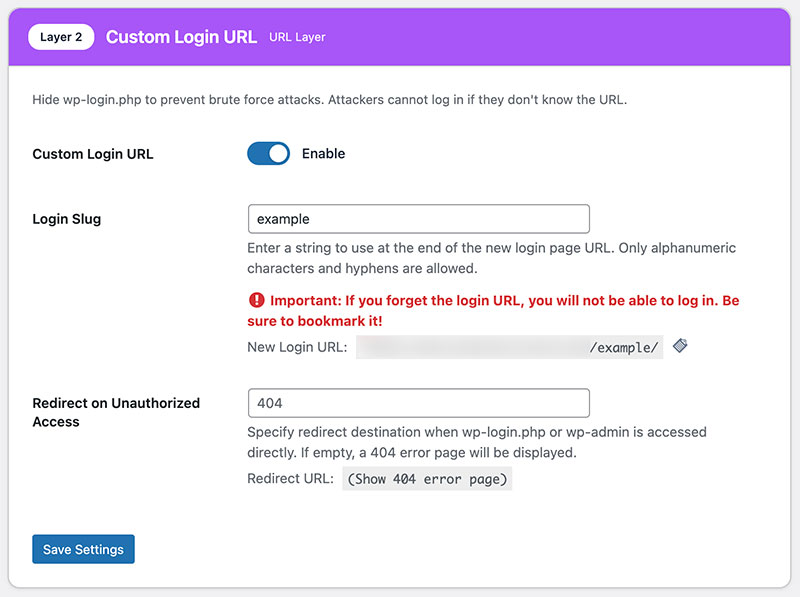
Change the default WordPress login URL (/wp-login.php) to a custom URL. This makes it difficult for attackers to find the login page and helps avoid automated attacks.
- Set any custom slug for your login URL
- Default URL responds with 404
- Stops most automated brute-force scans
- Works with multisite installations
ベーシック認証
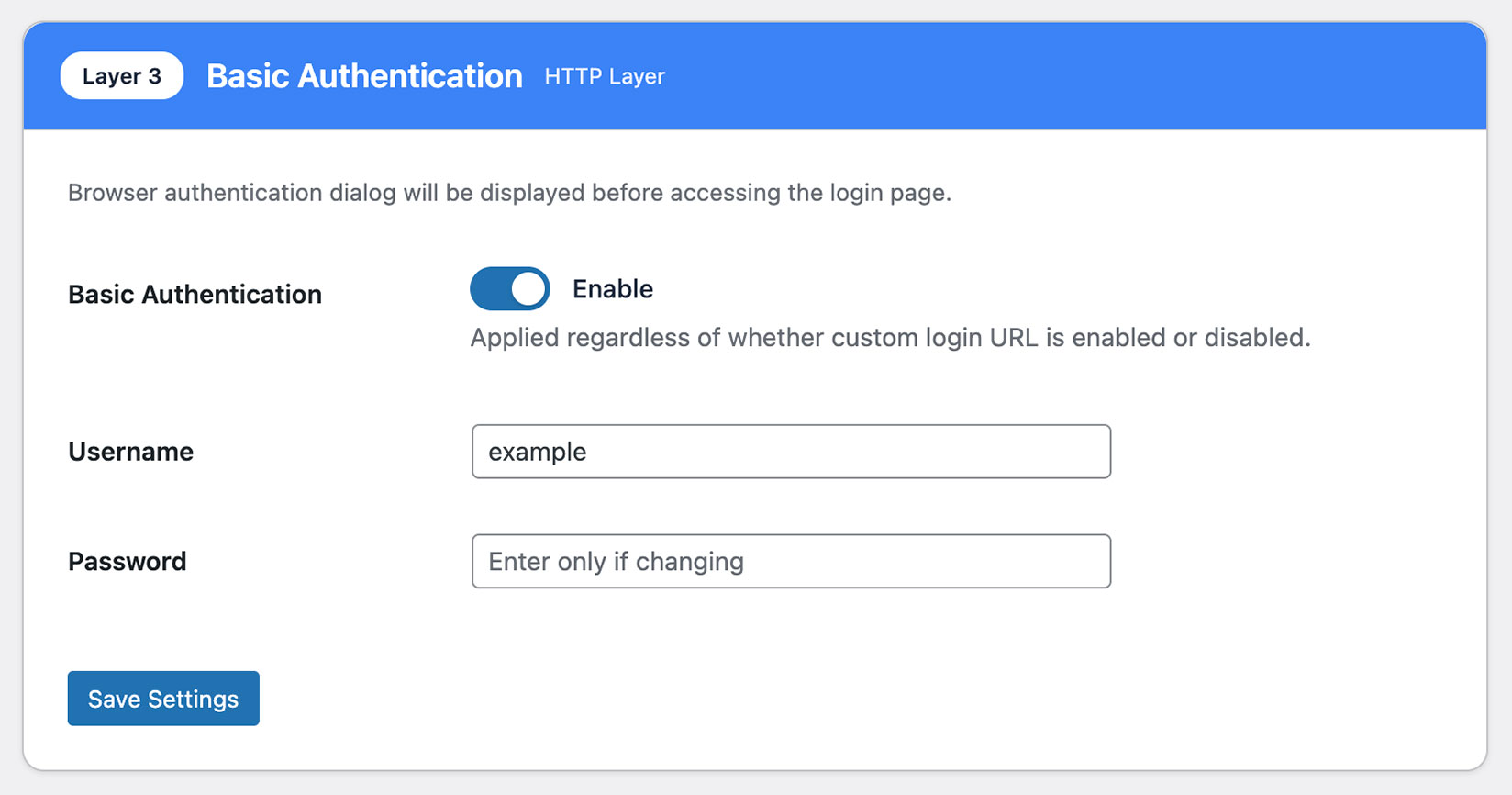
Require additional server-level authentication. Before reaching the WordPress login screen, a separate username and password is required, providing dual-layer protection.
- Server-level authentication before WordPress
- Separate username and password required
- Dual-layer protection independent of WordPress
- Effective against direct login screen attacks
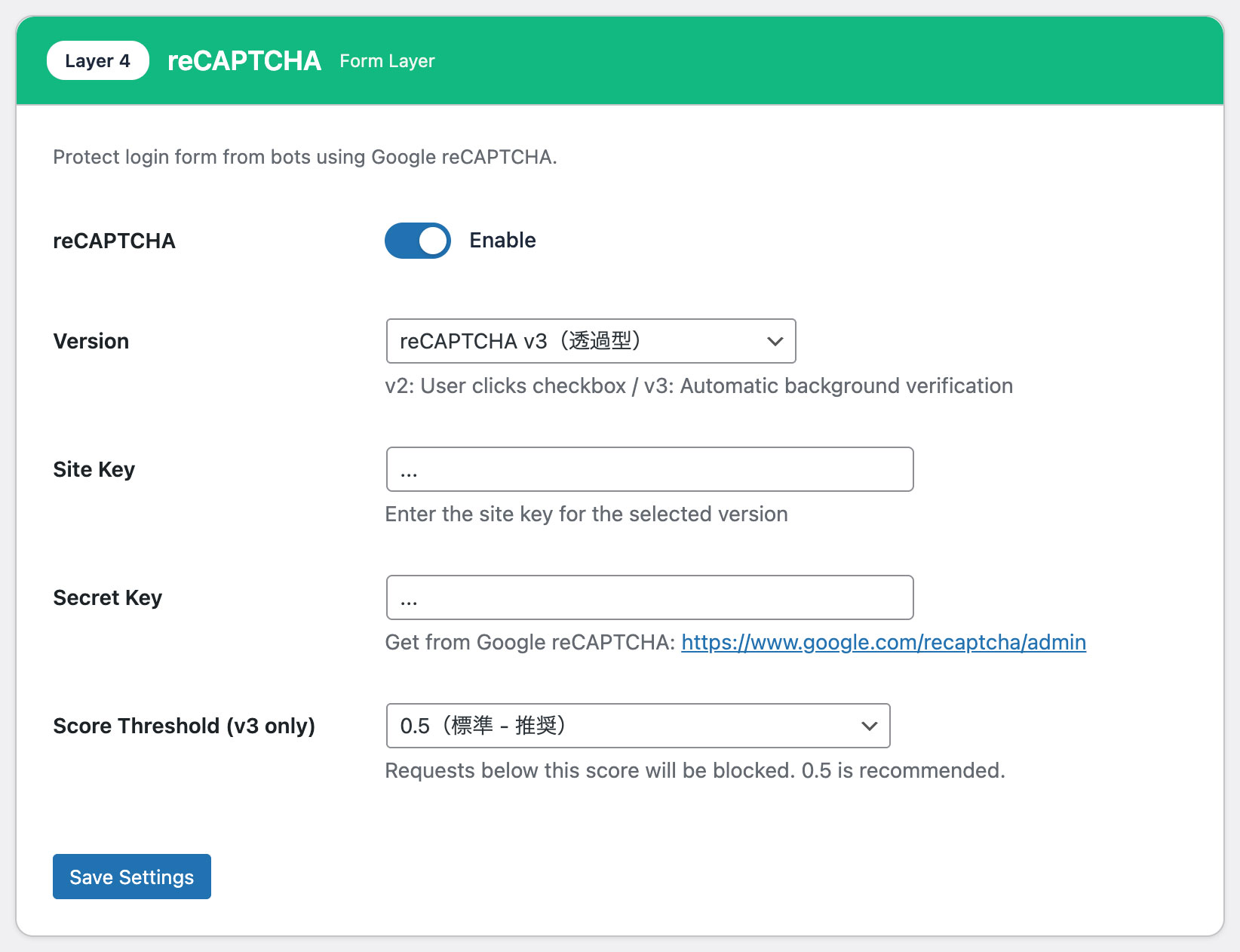
reCAPTCHA
Integrate Google reCAPTCHA to automatically distinguish humans from bots. Protect your site from automated brute force and credential stuffing attacks.
- reCAPTCHA v2 (checkbox) supported
- reCAPTCHA v3 (invisible score) supported
- Customizable score threshold (0.0 – 1.0)
- Automatically blocks credential-stuffing bots
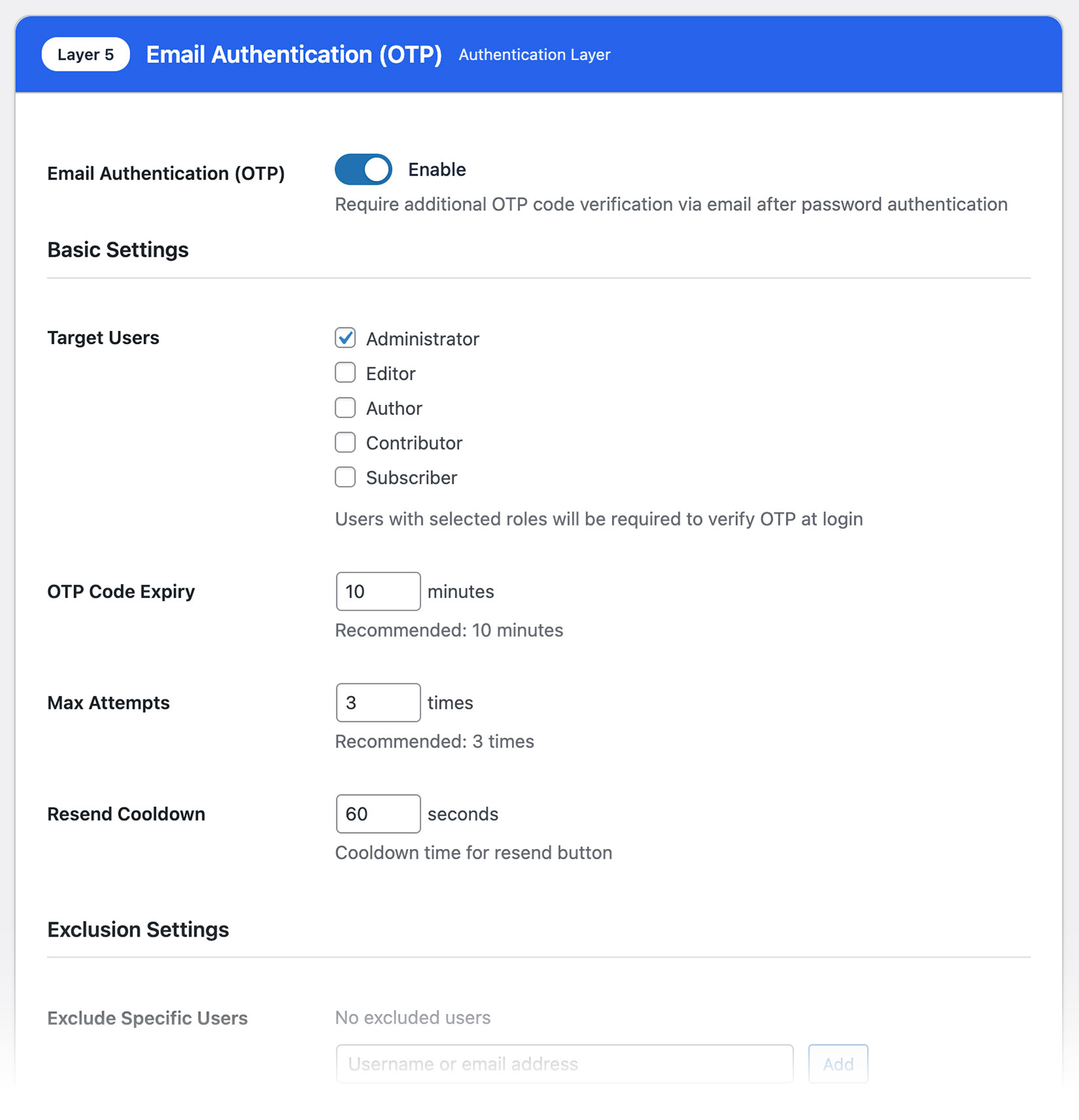
Email OTP
Add two-factor authentication with a one-time password sent via email at login. Even if a password is compromised, login is impossible without email access.
- OTP delivered via email on each login
- Login blocked without a valid OTP
- Configurable OTP expiry duration
- Effective even if the password is compromised
Dashboard
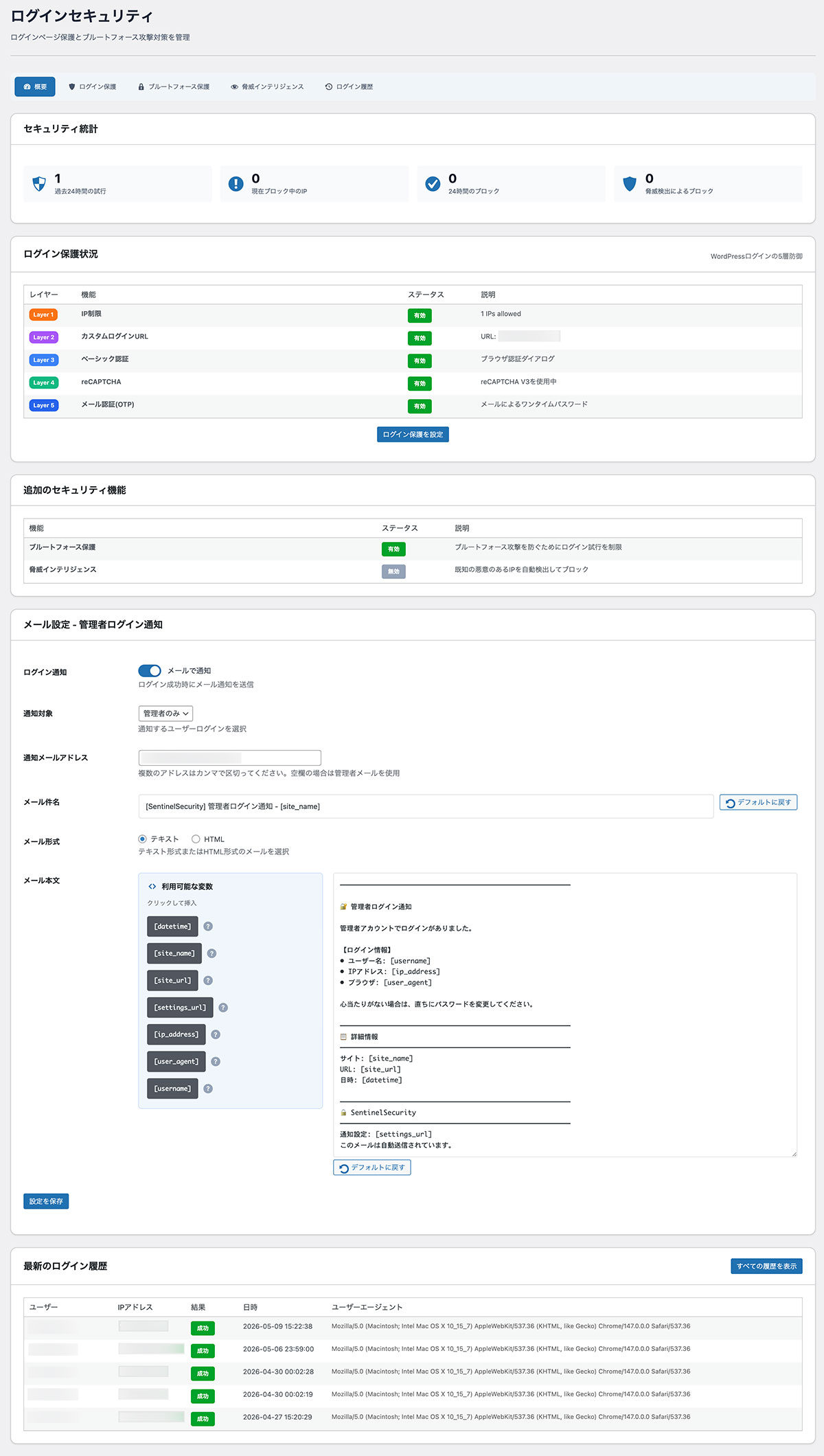
Your security status, at a glance.
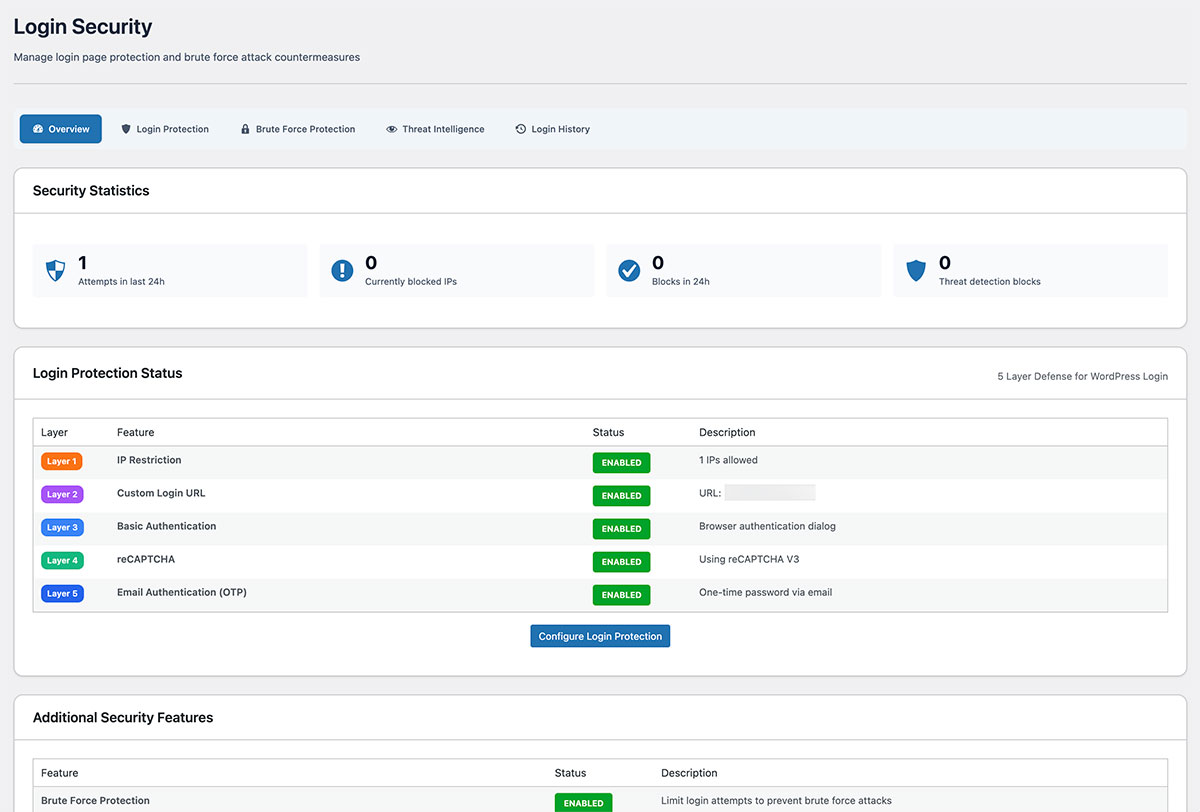
The login security dashboard shows you exactly what is protecting your admin area right now — no digging through settings required.

Monitoring & Intelligence
See every threat. Know every login.
Proactive threat blocking and full login history give you complete visibility and control.
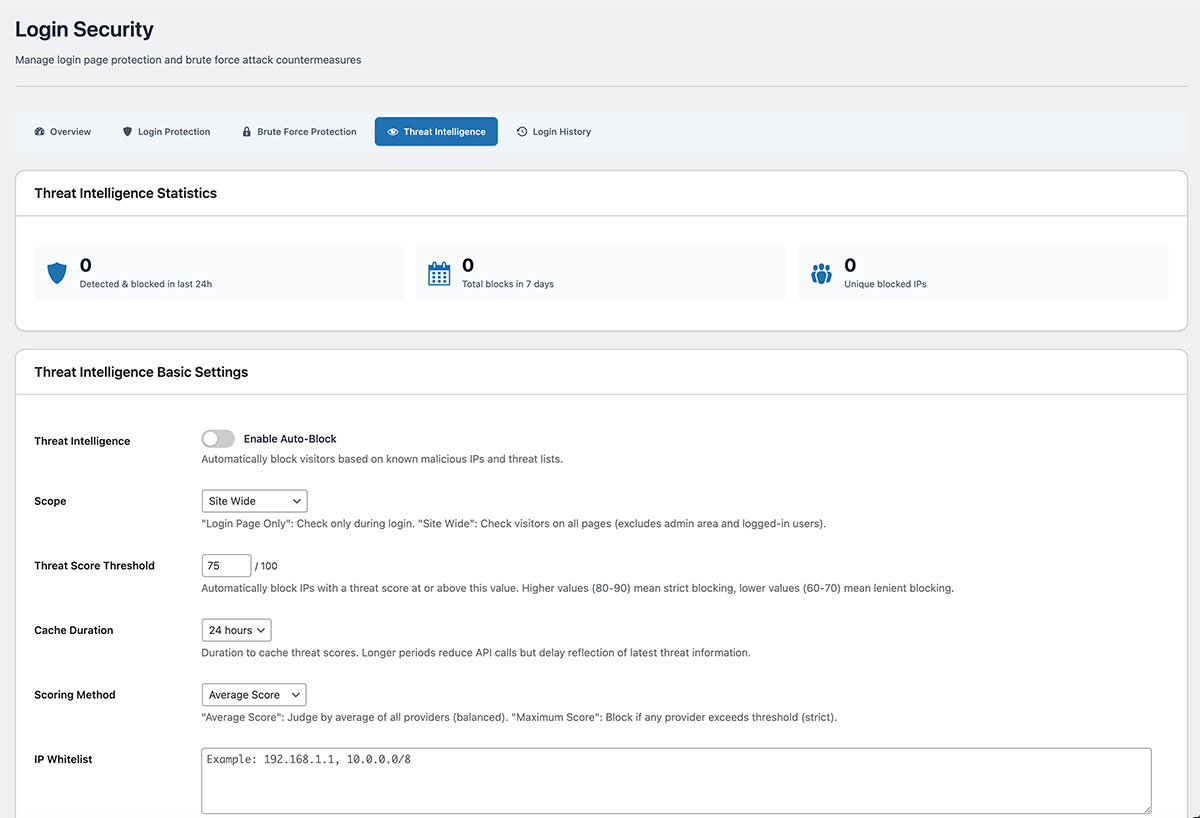
Threat Intelligence
Block malicious IPs before they ever attempt a login. Integrates with global threat databases and lets you maintain your own ban and allow lists.
- Real-time IP matching against threat feeds
- Global threat database integration
- Permanent blocklist for known bad actors
- Safelist to always allow trusted IPs
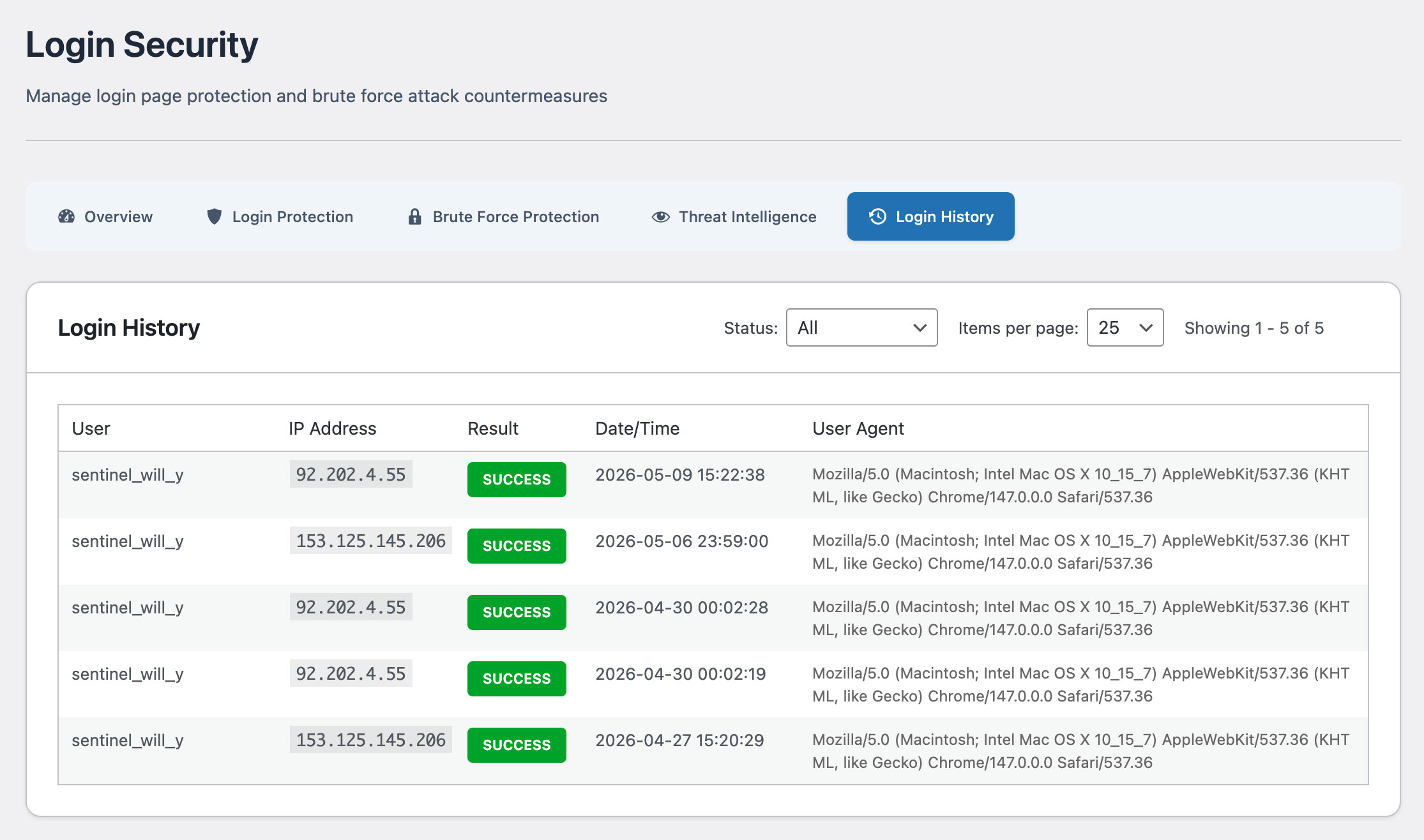
Login History
A detailed log of every login attempt — successful or not. Filter by IP, username, date, or result to pinpoint suspicious patterns instantly.
- Full history of successful and failed logins
- IP address, username, and timestamp logged
- Filter and search across all records
- Spot brute force patterns at a glance
Other Features
Explore Other SentinelSecurity Features
SentinelSecurity covers every security aspect of your WordPress site — from vulnerability scanning to file monitoring and email notifications.
HTTP Header Diagnosis
Diagnose security header configuration and get actionable recommendations to fix missing or misconfigured headers.
Learn moreREST API Diagnosis
Check WordPress REST API security across 18 items. Identify information exposure risks before attackers find them.
Learn moreAPI Protection
REST API rate limiting and user enumeration prevention to block API-based information leaks and abuse.
Learn moreVulnerability Assessment
Check WordPress configuration, software versions, and file permissions for security risks. Get a risk score in one click.
Learn moreFile Integrity Monitoring
Detect file additions, changes, and deletions across WordPress directories. Instant alerts for unauthorized modifications.
Learn moreSecurity Header Settings
Easy GUI setup for CSP, HSTS, and other security headers. Smart scan auto-generates optimal settings.
Learn moreEmail Notification Settings
Fully customizable notifications for login events, file changes, and vulnerability discoveries. White-label ready.
Learn more
Protect your admin area
with Login Security.
Protect your WordPress site with SentinelSecurity's comprehensive security features.