File Integrity Monitoring
Detect file tampering
as soon as it occurs.
Every file change across your WordPress directories is tracked and logged. Instant alerts catch malware intrusions and unauthorized modifications — before damage is done.
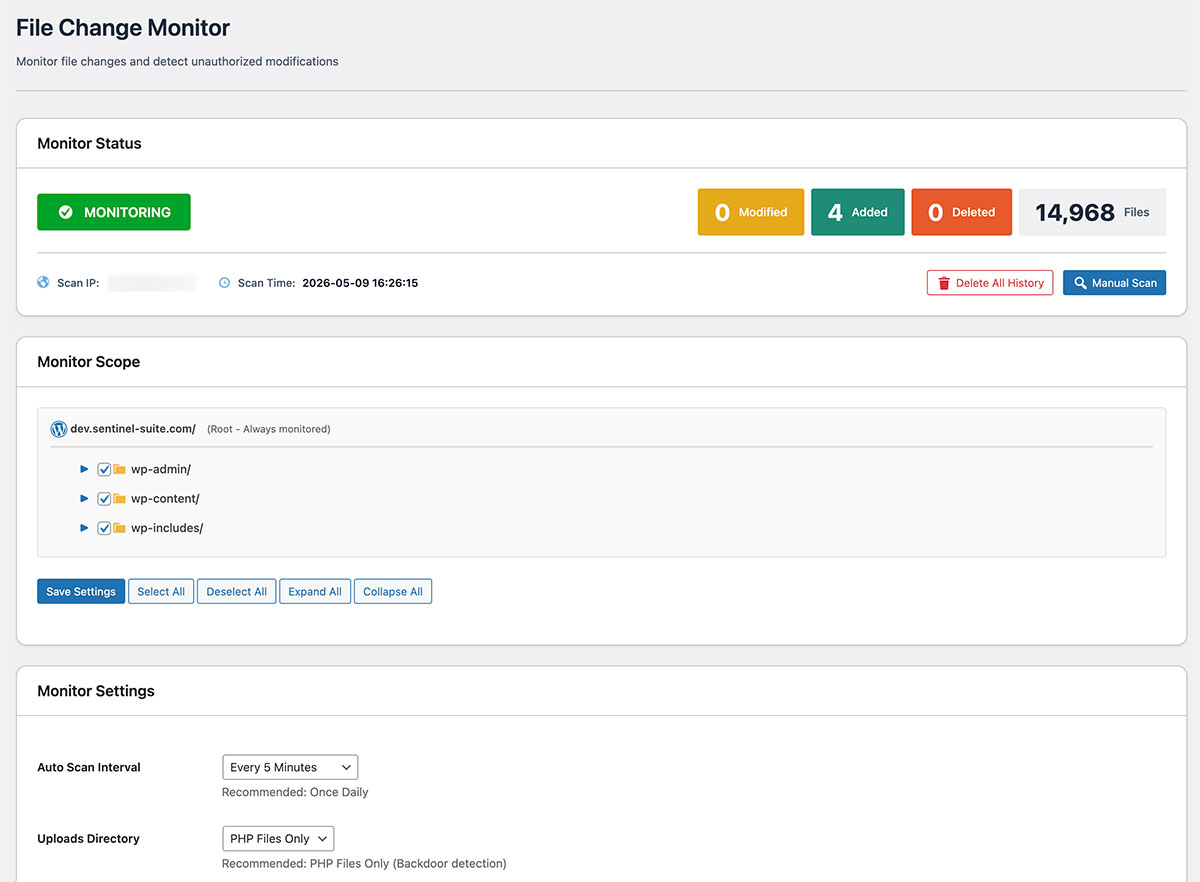
Why File Integrity Monitoring?
Unnoticed file changes
can persist for months.
Every persistent WordPress malware infection requires writing to the file system. Without automated monitoring, a compromise can remain undetected for months — giving attackers time to steal data, install backdoors, and spread.
Track Changes with Snapshot Comparison
Create a baseline on the first scan, then detect changes with periodic scans — simple and effective.
Initial Scan
Scans all files in monitored directories and records filenames, sizes, and timestamps. This becomes your baseline.
Periodic Scan
Automatically scans at your configured interval (5 min to 1 day) and compares with the previous snapshot.
Detect Changes
Detects added, modified, and deleted files, displayed in a list. Email notifications are also available.
Key Features
Everything you need to track every change.
From scan history to per-file severity ratings and email alerts — full visibility over every modification across your WordPress directories.
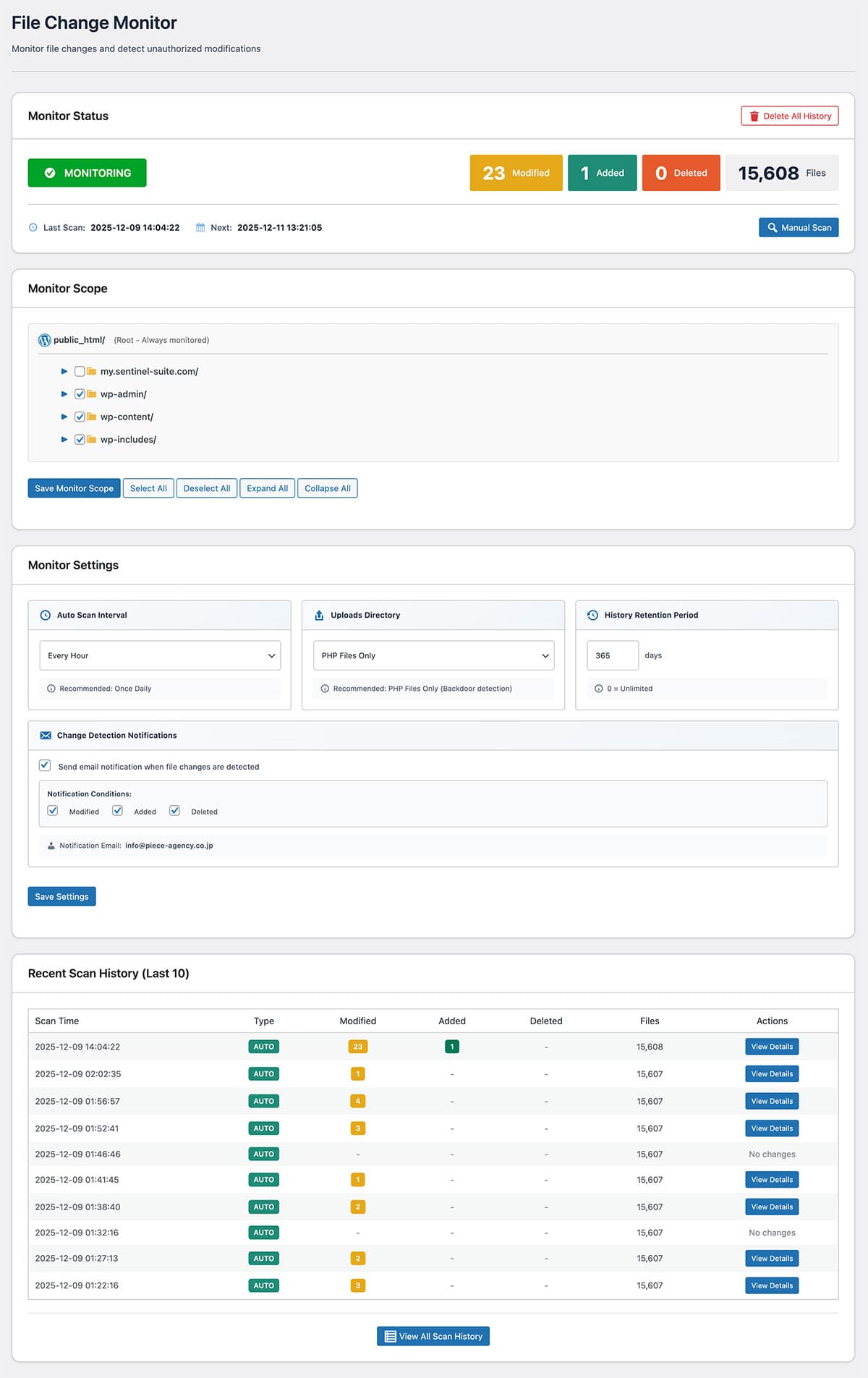
Scan History List
View periodic scan results in chronological order. See at a glance how many files were added, modified, or deleted in each scan, and navigate directly to the details screen. A one-click filter hides scans with no changes to keep the list focused.
- All scan results listed by date and time
- Added / Modified / Deleted counts shown per scan
- Filter to hide no-change scans
- Direct link to full details for any scan

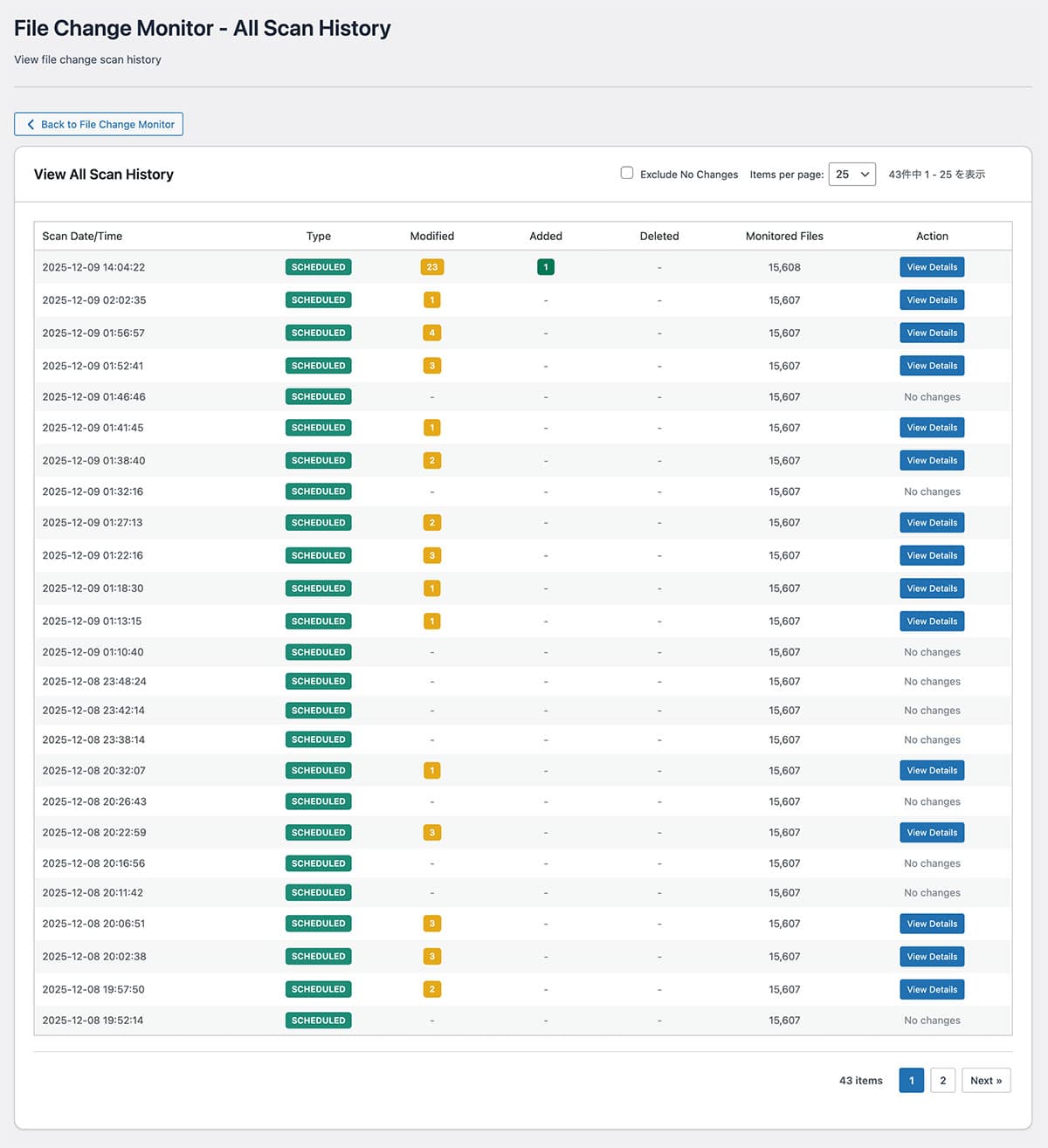
Changed File Details
Drill into any scan result to see exactly which files changed. File path, directory type (plugins / themes / root), size delta, before-and-after timestamps, and a HIGH / MEDIUM / LOW severity rating are shown for each entry — so the most critical changes always stand out.
- Full path, type, and size change per file
- Before-and-after timestamps for every modification
- HIGH / MEDIUM / LOW severity per file
- Added, Modified, and Deleted files shown separately
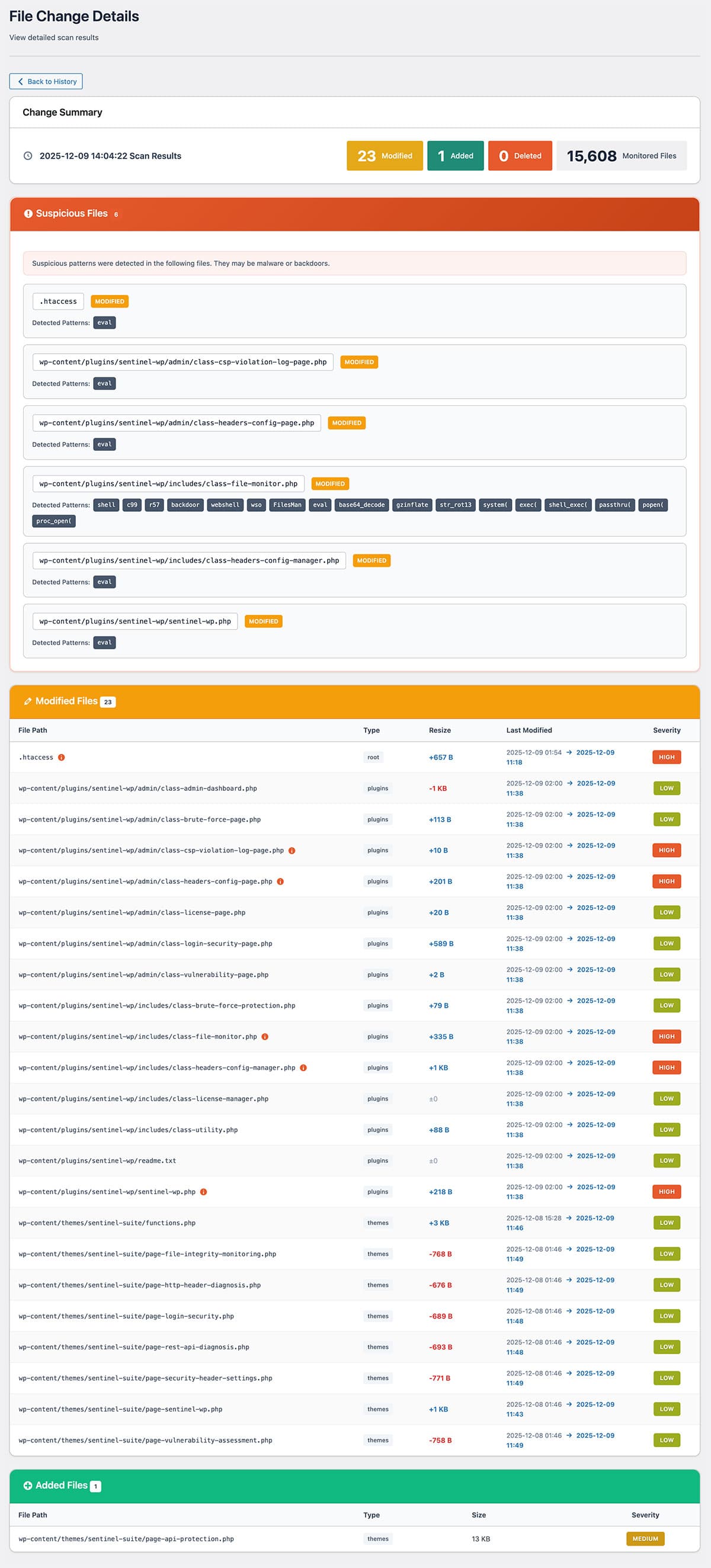
Monitor Scope Selection
Choose exactly which directories to monitor using a visual tree view with checkboxes. Enable or disable wp-admin, wp-content, wp-includes, and any subdirectory independently. Narrowing the scope reduces scan time and cuts down on notification noise.
- Visual directory tree with per-folder checkboxes
- Root directory always monitored as a baseline
- Expand / Collapse and Select All shortcuts
- Fewer directories means faster scans and quieter alerts
Email Notifications
Receive an automatic email the moment file changes are detected. The notification includes a change summary (Modified / Added / Deleted counts), a partial file list with severity badges, and a direct link to the full details screen — ensuring high-severity issues are never missed.
- Instant email on every scan with changes
- Summary counts and partial file list included
- HIGH-severity files highlighted in the email
- One-click link to the full details screen
Related Feature
Combine with Vulnerability Assessment for Stronger Protection
When file integrity monitoring detects suspicious changes, use vulnerability assessment to check for known risks such as outdated plugins and weak settings that may have been exploited.
Other Features
Explore Other SentinelSecurity Features
SentinelSecurity covers every security aspect of your WordPress site — from vulnerability scanning to file monitoring and email notifications.
Login Security
Multi-layer protection for your WordPress login. IP lockout, 2FA, and CAPTCHA to stop attackers before they get in.
Learn moreHTTP Header Diagnosis
Diagnose security header configuration and get actionable recommendations to fix missing or misconfigured headers.
Learn moreREST API Diagnosis
Check WordPress REST API security across 18 items. Identify information exposure risks before attackers find them.
Learn moreAPI Protection
REST API rate limiting and user enumeration prevention to block API-based information leaks and abuse.
Learn moreVulnerability Assessment
Check WordPress configuration, software versions, and file permissions for security risks. Get a risk score in one click.
Learn moreSecurity Header Settings
Easy GUI setup for CSP, HSTS, and other security headers. Smart scan auto-generates optimal settings.
Learn moreEmail Notification Settings
Fully customizable notifications for login events, file changes, and vulnerability discoveries. White-label ready.
Learn more
Detect File Tampering Early
with File Integrity Monitoring.
Protect your WordPress site with SentinelSecurity's comprehensive security features.